How to build a backend
This page follows a project from an approved architecture through specification, implementation and merge. It is the long-form walkthrough; the other pages cover individual features in depth.
The three workflow steps
Section titled “The three workflow steps”Every project runs the same three steps, in order:
| Step | Produces | Runs |
|---|---|---|
| Architecture | The system design and its overview diagram | Once per project |
| Specification | A spec set and a service diagram per service | Once per service |
| Implementation | Source, tests and a PR per service | Once per service |
Architecture runs once. Specification and implementation fan out across the services the change actually touches — not necessarily every service in the design. A first session that builds a whole system touches all of them; a later Feature session that adds one capability may touch two.
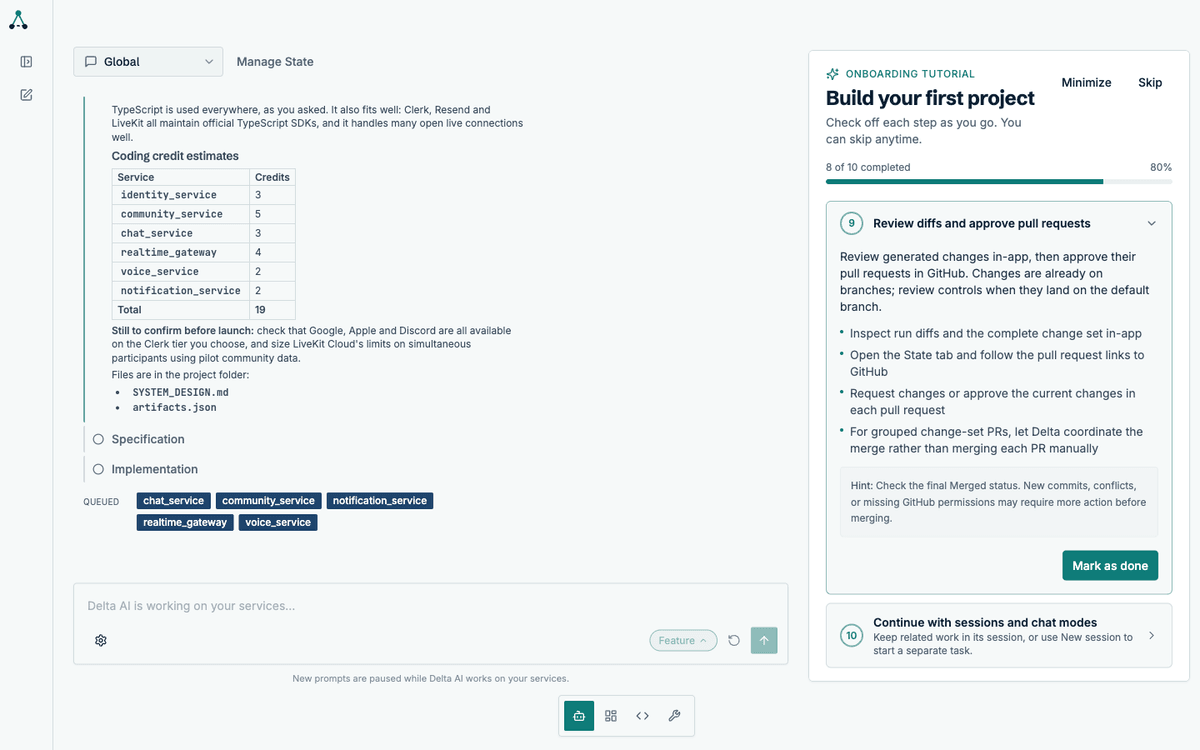
Service badge statuses
Section titled “Service badge statuses”Each service in the workflow carries a badge. The badge is the fastest way to tell whether a service is working, waiting on you, or waiting on credits.
| Badge | Meaning | What to do |
|---|---|---|
| Active | The agent is working on this service right now | Nothing — watch the live activity |
| Queued | The run is ready but cannot start because your available balance is negative | Add credits, or let automatic top-up cover it |
| Awaiting your review | The run is paused on a plan and will not continue until you act | Open the service thread and approve or steer the plan |
| Completed | The run finished and its pull request is in the change set | Review the diff and approve the pull request |
Queued is worth understanding, because it is the one status that is not about the agent. A run is queued when your available balance is negative — which happens when the holds from runs already in flight exceed what you have left. It is not a free-tier limit and it is not a concurrency limit: any run can be queued, on any plan, if the balance has gone negative.
Two things prevent it:
- Automatic top-up, configured in billing, which buys credits when the balance drops below a threshold
- Adding credits manually before starting a large batch of runs
Queued runs resume on their own once the balance is positive again. Nothing is lost and nothing needs restarting.
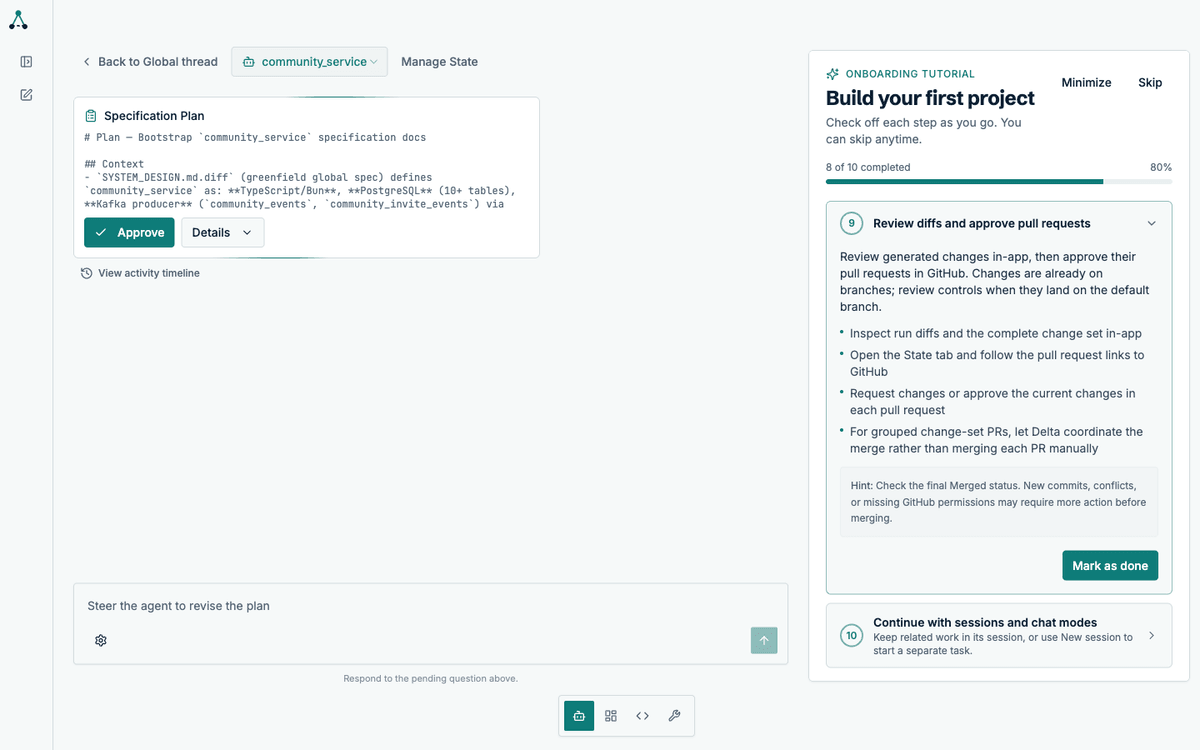
Specification
Section titled “Specification”For each service, the agent writes a complete specification set:
docs/architecture.md— component boundaries, data flow, failure modesdocs/openapi_spec.yaml— the HTTP contractdocs/user_stories.md— testable acceptance criteriadocs/engineering_guide.md— the conventions the implementation must followdocs/decisions/— architecture decision records with the reasoningdiagrams/— a diagram of the service’s internals, as.drawioand.svg
The architecture step produces one overview diagram of the whole system. The specification step produces a diagram per service, showing that service’s components and how they fit together. They answer different questions: the overview shows how services relate, the service diagram shows what is inside one.
Implementation
Section titled “Implementation”Implementation turns the specification into working code. The agent works inside the service directory, writes source and tests, and validates as it goes.
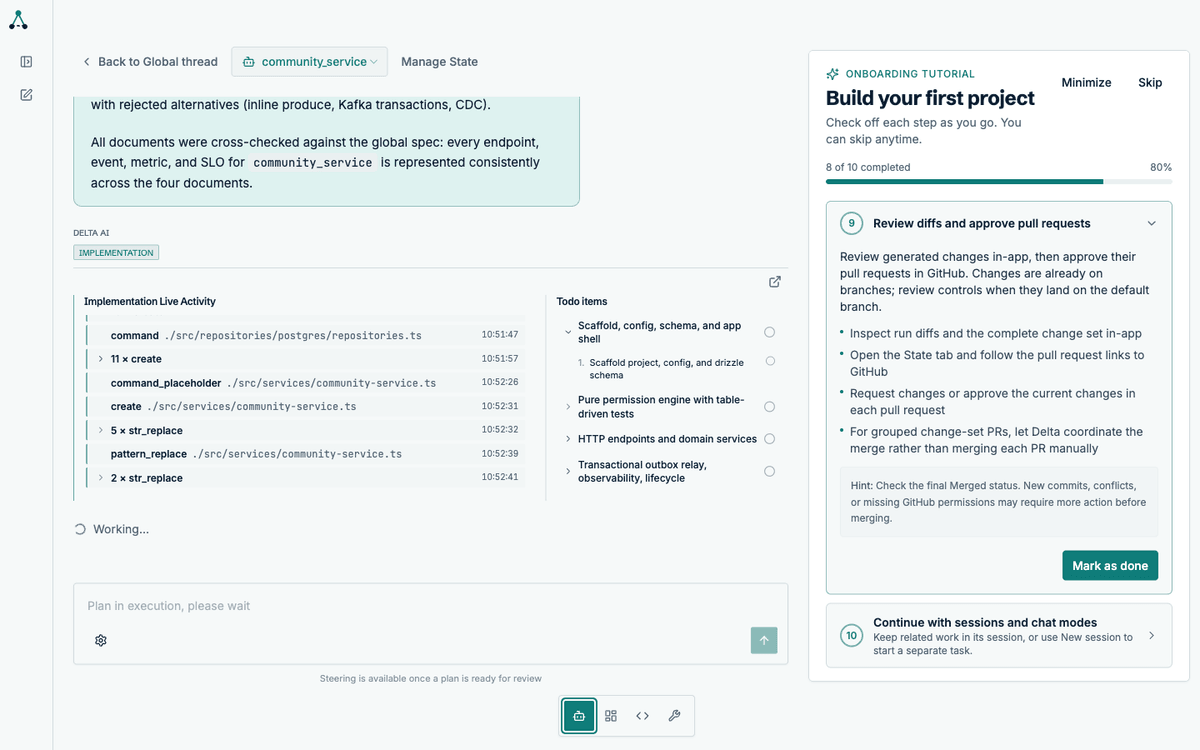
Progress is published as a todo list so you can see which phase the agent is in and what it has finished.
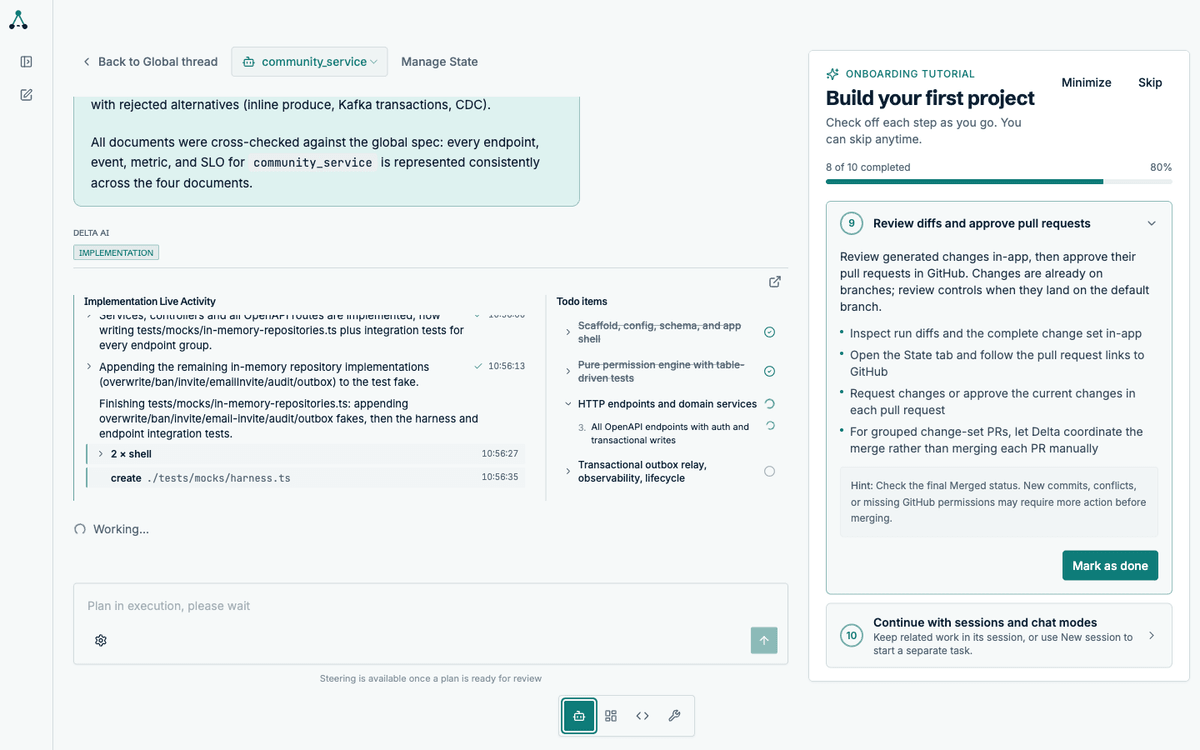
What the agent validates
Section titled “What the agent validates”Before a run can succeed, the agent must satisfy its own completion contract:
- Every todo is marked done, with evidence
- The test suite passes
- Type checking passes
- Linting passes
- The diff contains no unintended changes
A run that cannot meet these does not silently succeed. It either self-corrects or reports the blocker.
Reviewing the result
Section titled “Reviewing the result”Each service lands as a pull request in your GitHub organisation. The Code tab shows the diff in-app, per service.
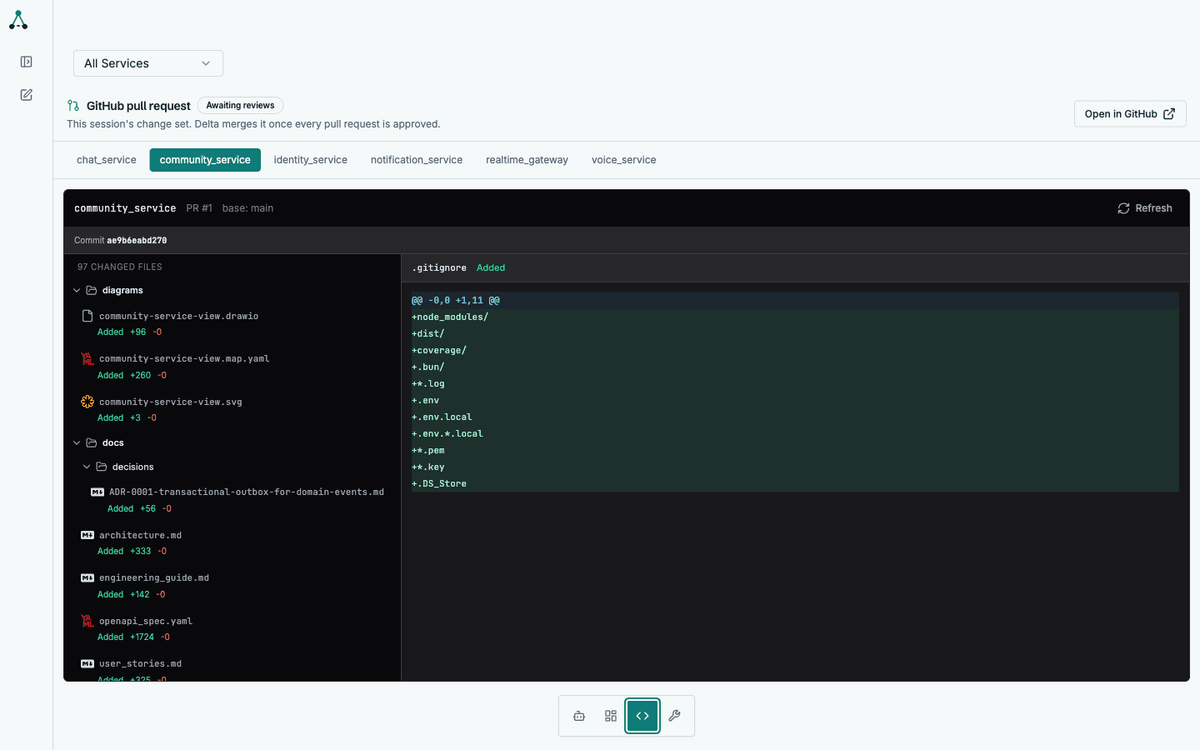
Approving the pull requests is what triggers the merge. See Review and approve.
What you deploy
Section titled “What you deploy”The output is standard container images. Delta AI does not deploy anything for
you, and does not assume a particular orchestrator. Each service exposes
/healthz and /readyz and shuts down gracefully, which is the contract any
modern platform can use.