Review and approve
Everything Delta AI generates arrives as a pull request you review. This page covers how to read what was produced, where to look, and what approval commits you to.
Where to review
Section titled “Where to review”There are two surfaces, and they serve different purposes.
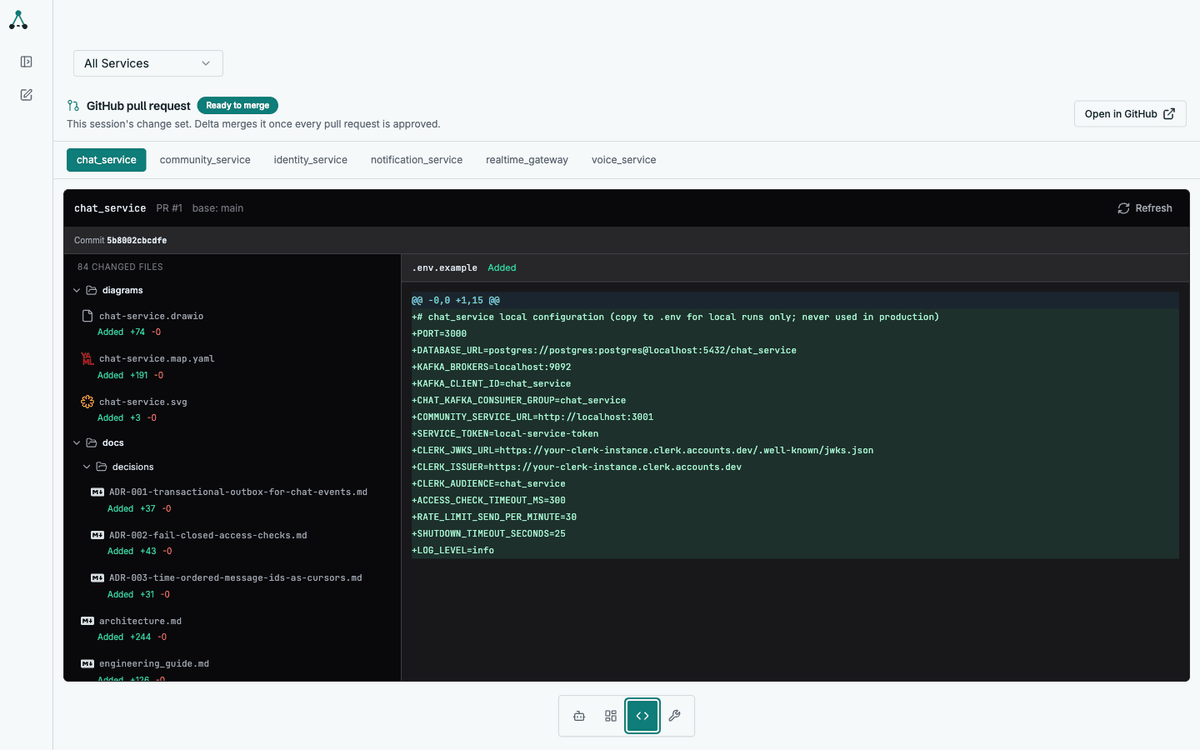
The Code tab
Section titled “The Code tab”The Code tab shows the diff in-app, per service. Use it for a first pass: you can read every changed file without leaving the workspace.
GitHub
Section titled “GitHub”The pull request on GitHub is where approval happens. It also gives you the tools the app does not: inline comments, CI status, and the full repository context.
Each pull request is opened against your default branch, from a branch named after the service. The description links back to the change set, so you can move between the two.
What to look for
Section titled “What to look for”The generated code is meant to be reviewed like any other code. The things worth checking first:
| Check | Where |
|---|---|
| Does the specification match what you asked for? | docs/architecture.md, docs/user_stories.md |
| Are the API contracts what you expect? | docs/openapi_spec.yaml |
| Do the tests actually test the behaviour? | tests/ |
| Are the external dependencies the ones you chose? | docs/engineering_guide.md |
| Is anything outside the service touched? | The diff’s file list |
Reading the specification
Section titled “Reading the specification”The specification is the part most worth reading closely, because the implementation follows it. If the spec is wrong, the code will be wrong in a consistent, plausible-looking way.
Each service ships:
architecture.md— boundaries, data flow, failure modesopenapi_spec.yaml— the HTTP contract, including error codesuser_stories.md— testable acceptance criteriaengineering_guide.md— conventions and pinned decisionsdecisions/— ADRs with alternatives considered
What approval means
Section titled “What approval means”Approving a pull request says: this is correct, merge it. Once every pull request in the change set is approved, the change set merges automatically.
Approval is not a formality. It is the gate between generated code and your default branch.
When the output is not what you wanted
Section titled “When the output is not what you wanted”Do not approve it. Leave the pull request unapproved and the change set stays in Awaiting reviews — nothing merges.
Then go back to the session and say what is wrong. Send a message describing the problem; that starts a new conversation in the same session, and the agent works against the current state of the change set, including the unmerged branches.
You can do this as many times as you need. A session holds as many conversations as it takes to get the change set right, and every one of them lands in the same change set.
How a session iterates
Section titled “How a session iterates”The shape of a review cycle:
| Step | Where |
|---|---|
| Read the diff | Code tab, or the pull request on GitHub |
| Something is wrong | Leave it unapproved, return to the session |
| Describe the problem | A message in the session — this starts a new conversation |
| The agent revises | New runs update the same pull requests |
| Review again | Same diff, updated |
A session is one change set, however many conversations it takes. That is what keeps the review surface stable while the work converges.
When a run failed
Section titled “When a run failed”A failed run appears in the change set as a retryable failure. Retry it from the change set panel; the retry continues from the persisted state rather than starting over.