Plan mode
Plan mode makes a workflow step stop and present its plan before doing the work. You approve it, or you steer it with feedback. It is the main control you have over what gets generated.
Why it exists
Section titled “Why it exists”Without plan mode, a step runs to completion and you review the result. With it, you review the intent first. That matters most for architecture, where a wrong decision is expensive to undo.
Turning it on
Section titled “Turning it on”Plan mode is configured per step, not globally. You can require approval for architecture but not for implementation, or the reverse.
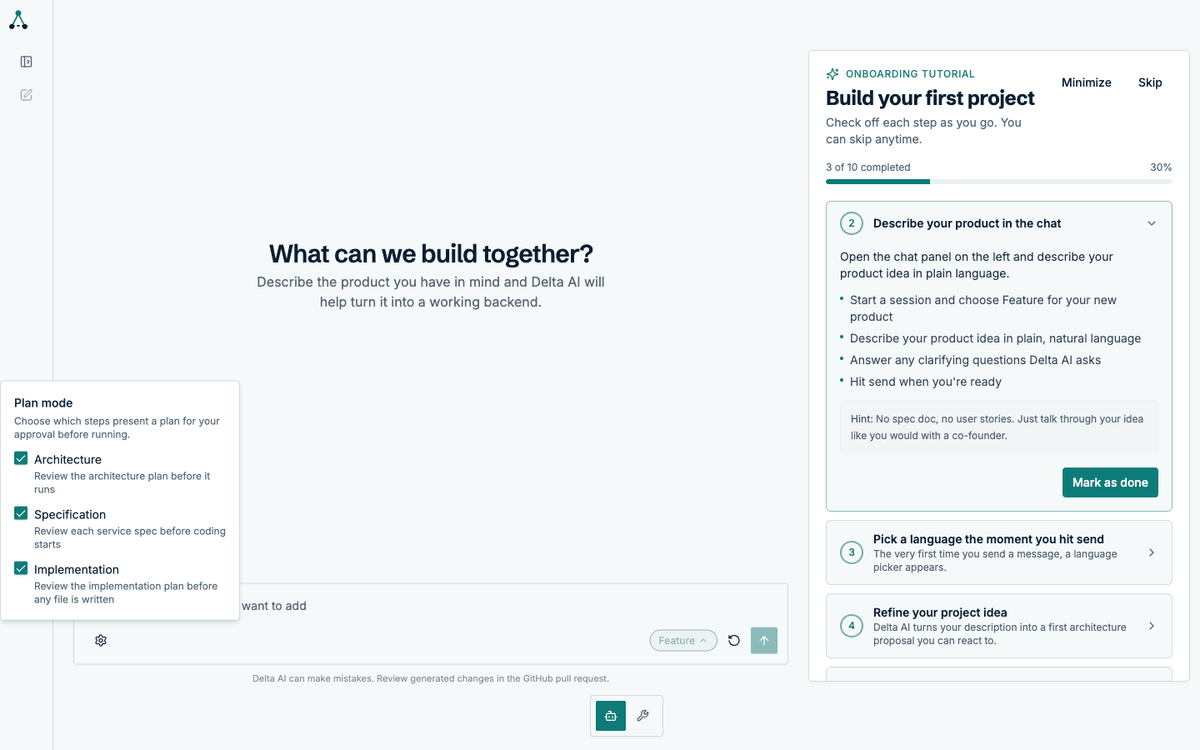
Open the settings from the gear icon in the composer. The choice is saved to your profile and applies to every project.
What a paused run looks like
Section titled “What a paused run looks like”When a step with plan mode enabled reaches its planning point, the run pauses. The service badge changes to Awaiting your review, and the plan appears in that service’s thread.
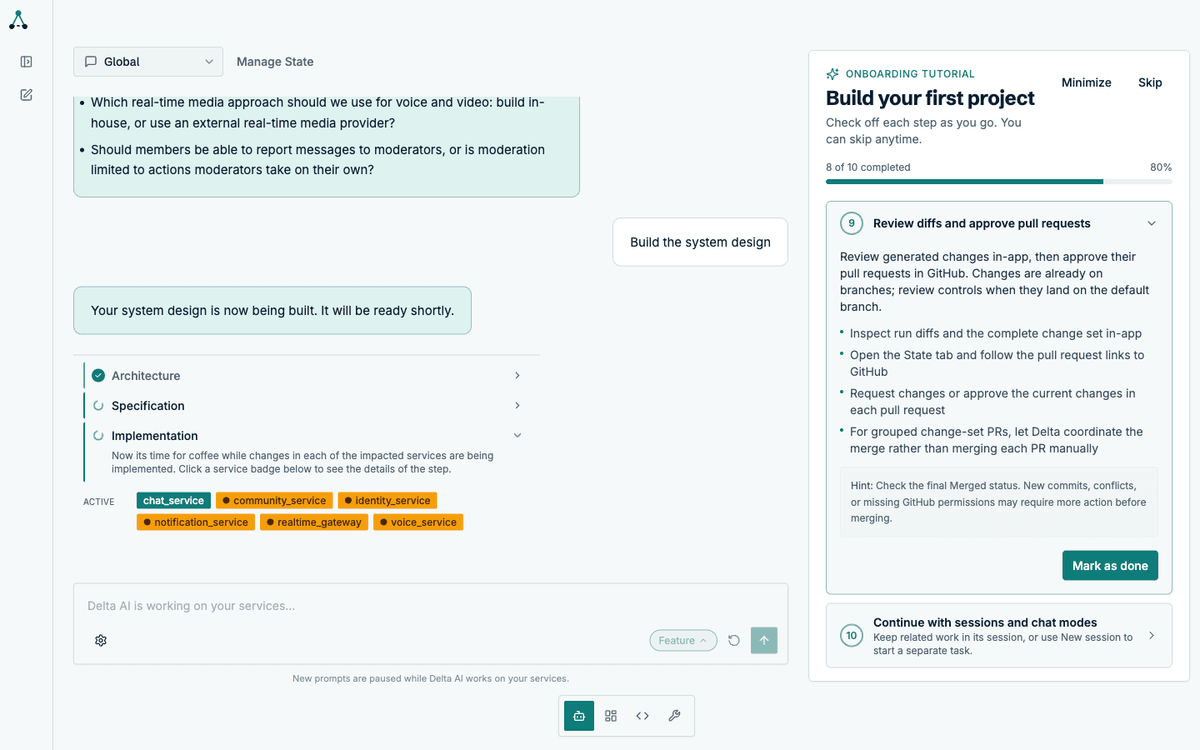
That badge is one of four a service can carry. See Service badge statuses for the full set, including Queued, which is about credits rather than plans.
The plan itself is a card in the thread, with the full text and two actions.
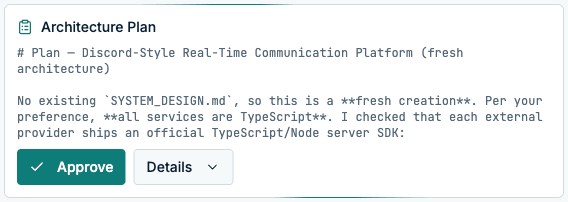
Approving
Section titled “Approving”Approving releases the run. It continues from where it paused, with the plan stored as the authoritative roadmap for the rest of the step.
Steering
Section titled “Steering”Steering is a message, not a separate form. Type your feedback into the composer while a plan is waiting, and the agent revises the plan using it.

The revised plan comes back for approval. You can steer as many times as you need before approving.
What plan mode does not do
Section titled “What plan mode does not do”- It does not block you from sending messages. Steering is the intended way to interact with a paused run.
- It does not apply retroactively. Turning it on mid-run affects the next planning point, not the current one.
- It does not guarantee the plan is good. It guarantees you saw it first.