Create your first project
This page takes you from an empty workspace to an approved architecture. It is the shortest path to seeing what Delta AI actually produces.
You need a signed-in account and the GitHub App installed on your organisation — see GitHub App installation. The first architecture and one service end to end are free, so you can complete this page without adding a card.
1. Describe your product
Section titled “1. Describe your product”Type what you want to build into the composer. Plain language is correct here — you are describing a product, not writing a specification.
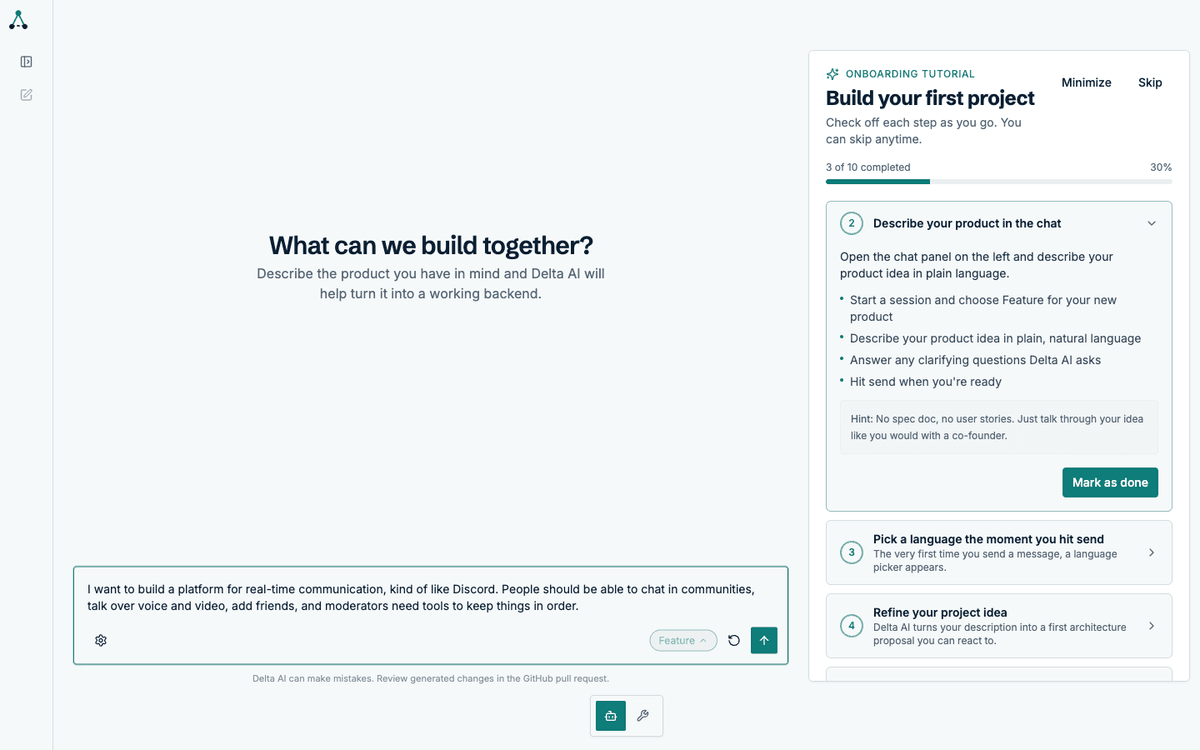
A good description names the users, the core actions and the constraints that matter. A bad one names a technology or a framework — those are decisions the agent will research and propose.
2. Choose your language
Section titled “2. Choose your language”Before the agent starts, you pick the implementation language. This applies to every service in the project.
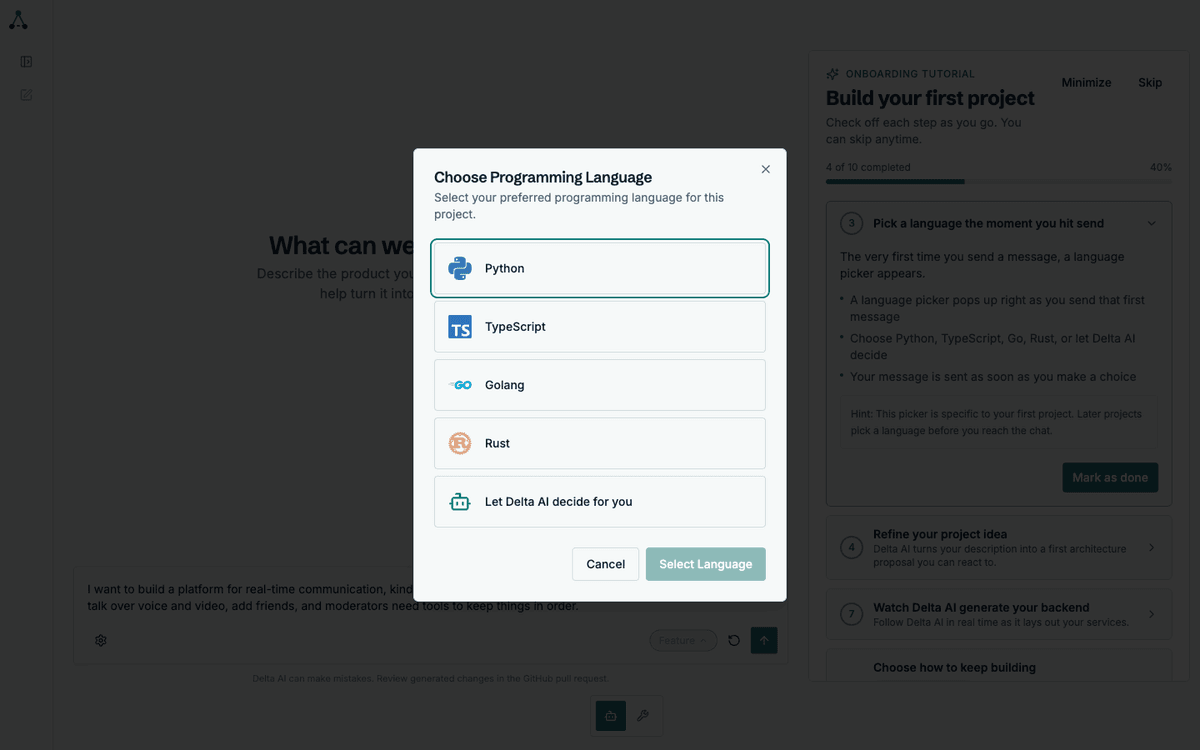
3. Answer the clarifying questions
Section titled “3. Answer the clarifying questions”The agent asks what it needs to know before designing anything: audience, scale, moderation requirements, what success looks like. Answer them as you would to a colleague.
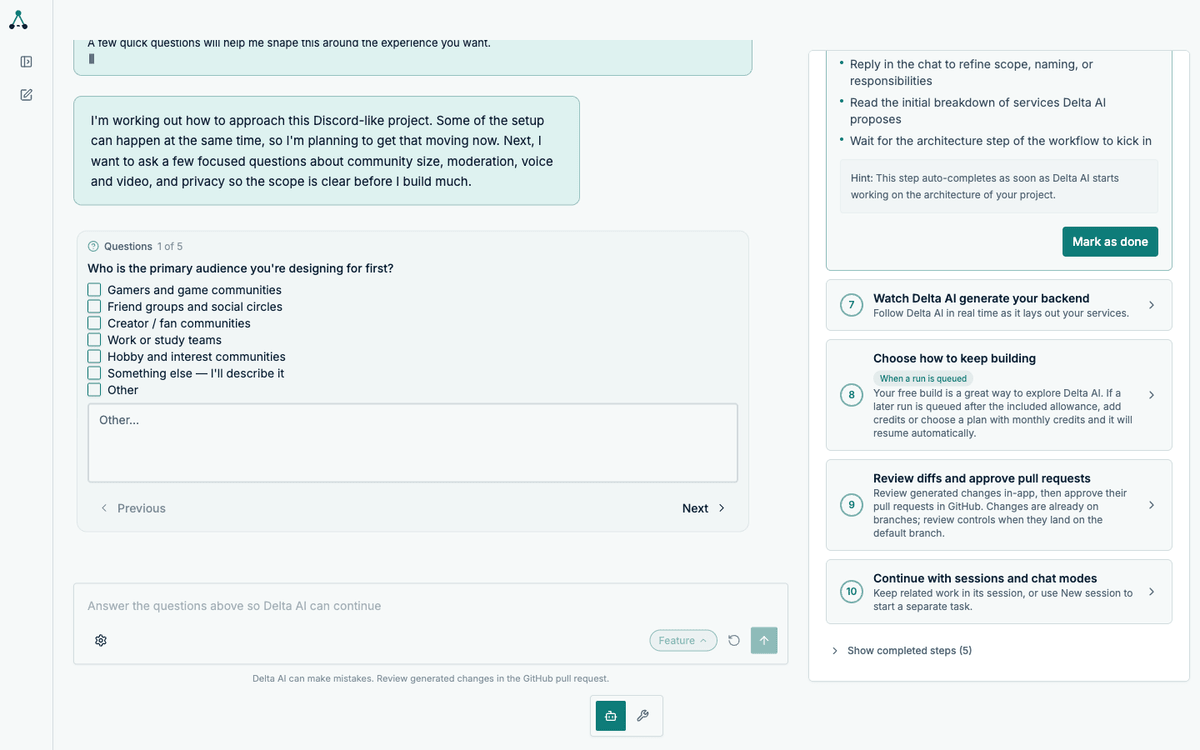
You can select a suggested answer or write your own. The agent will not proceed until the questions are answered.
4. Review the draft
Section titled “4. Review the draft”Once the questions are answered, the agent produces a draft of what it understood. This is your last chance to correct the brief before the workflow locks it.
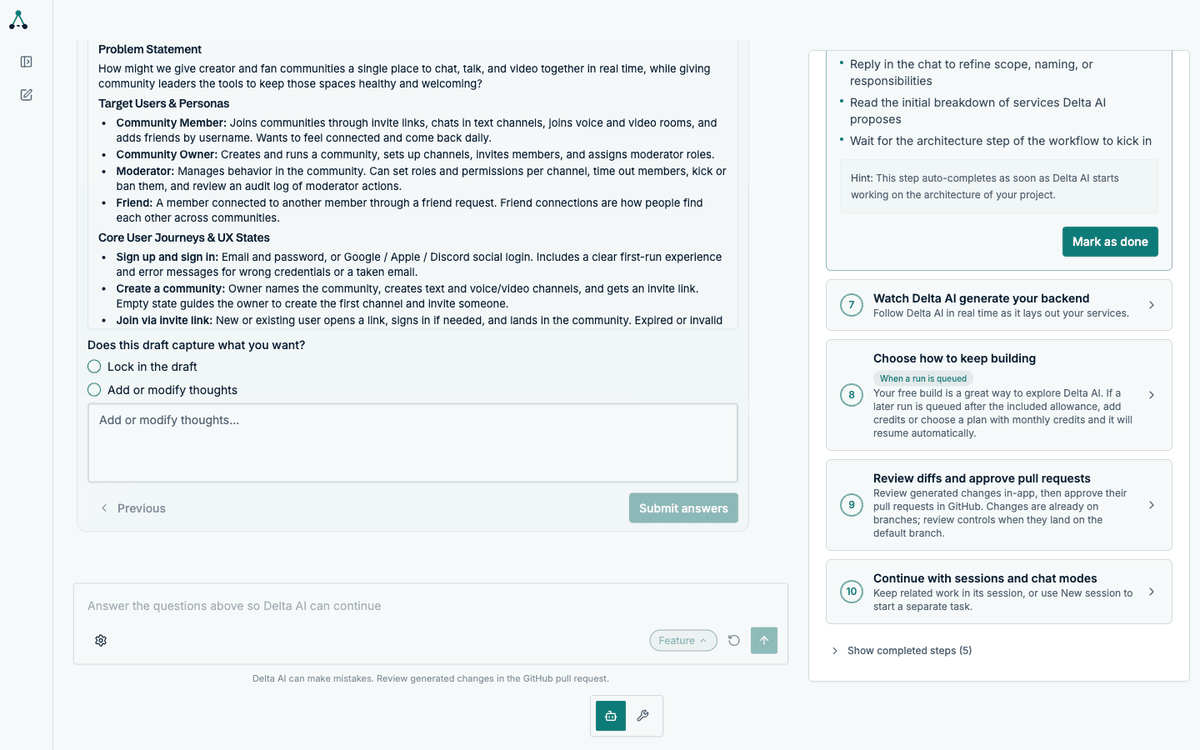
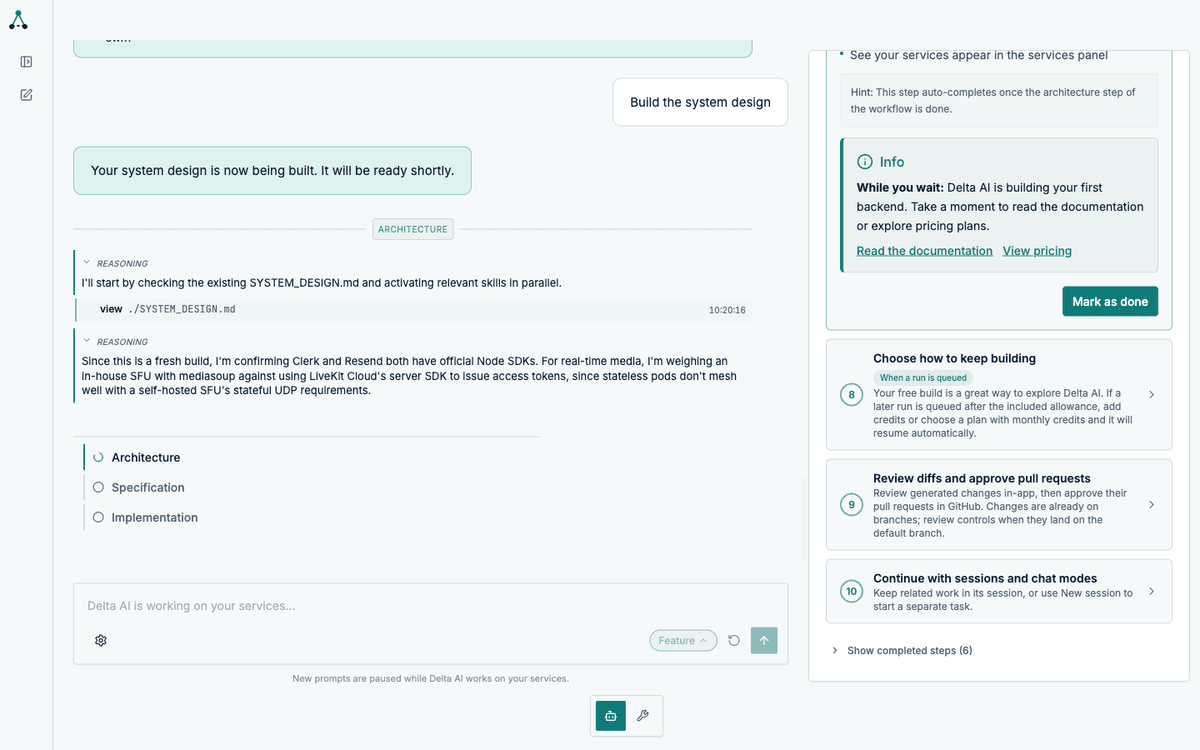
5. Watch the architecture
Section titled “5. Watch the architecture”The workflow starts. The first step designs the system: which services exist, what each owns, and how they communicate.
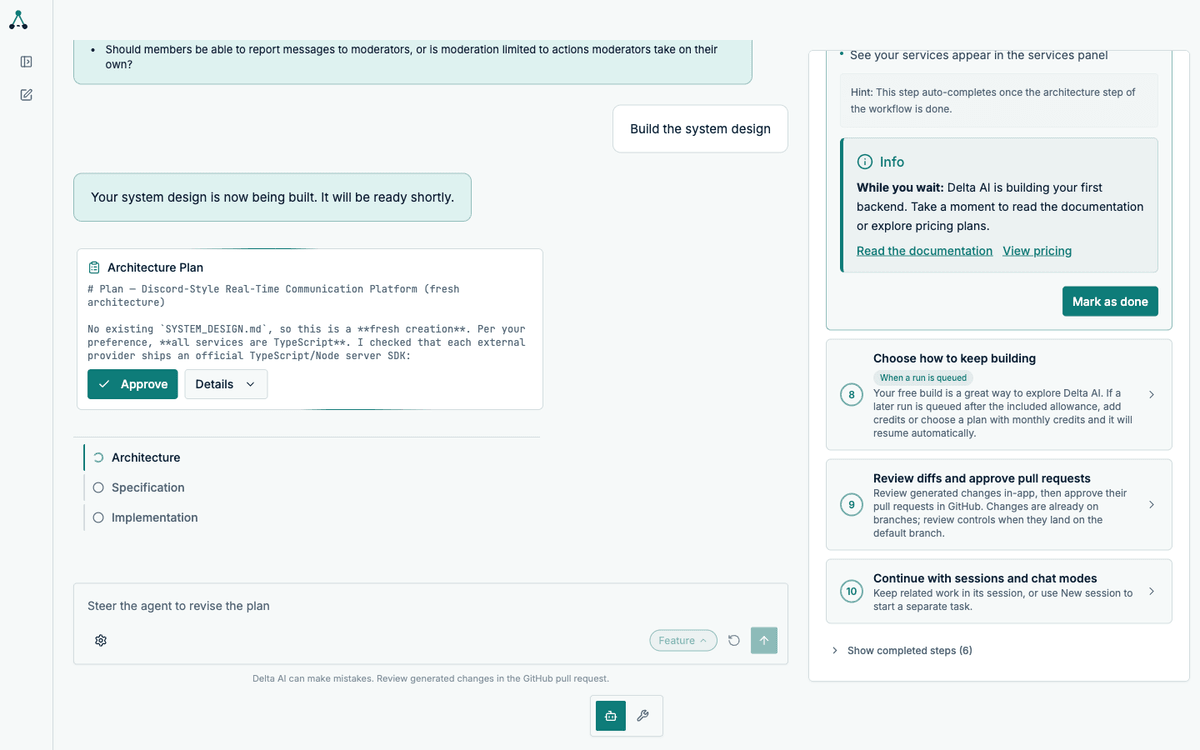
6. Approve the architecture plan
Section titled “6. Approve the architecture plan”If plan mode is on for the architecture step, the run pauses and presents the plan for approval. You can approve it, or steer it with a message.
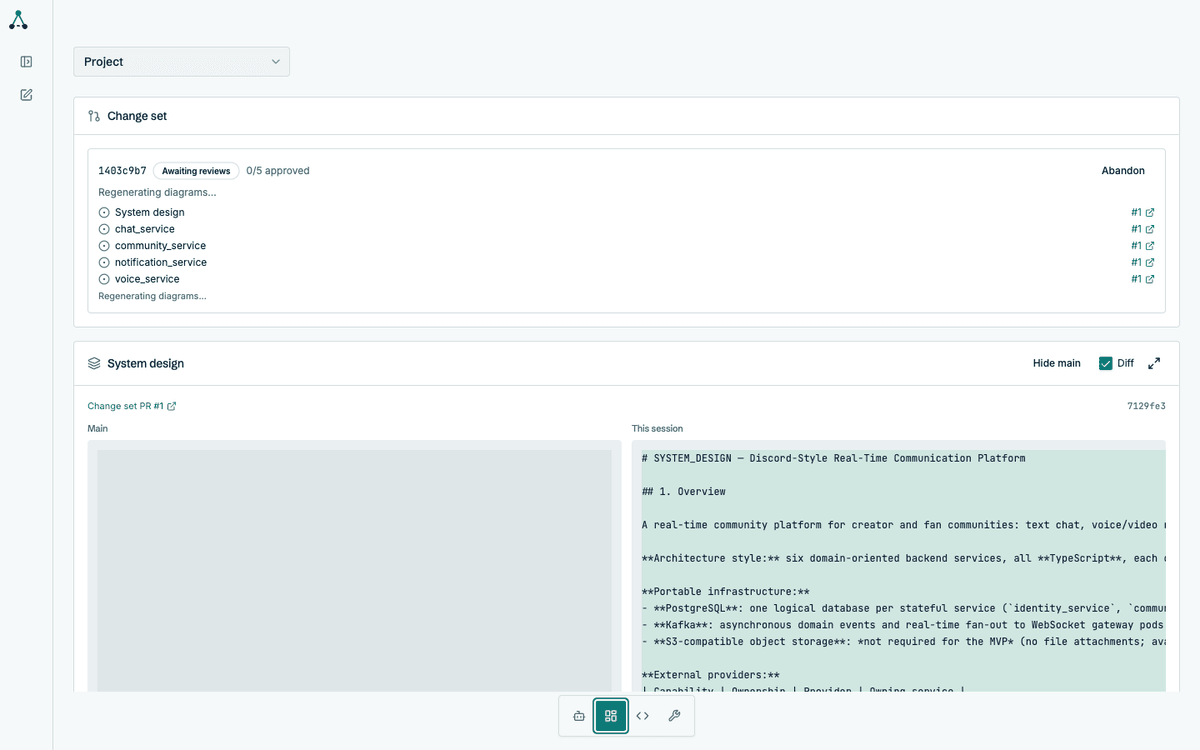
7. Read the system design
Section titled “7. Read the system design”When the architecture completes, the system design is available in the State tab alongside a diagram of the whole system.
From here the workflow continues into specification and implementation. See How to build a backend for the rest of the journey.