Change sets and merging
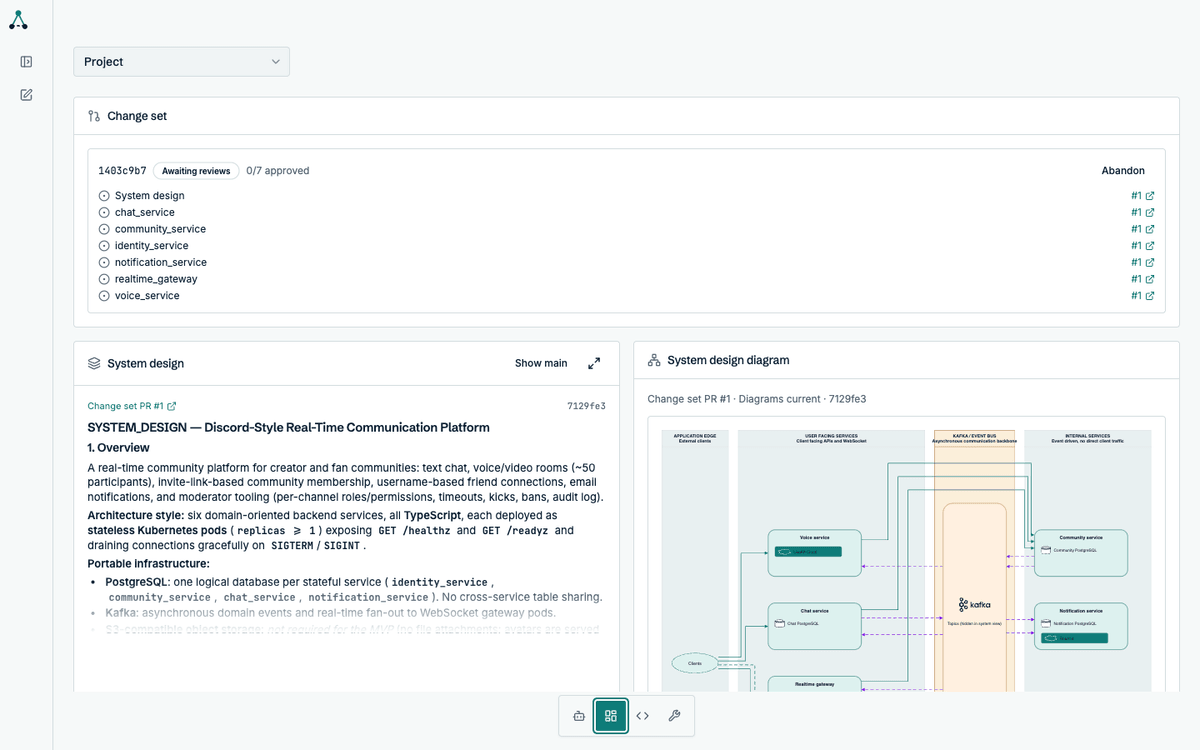
A change set is the unit of work a session produces. It groups every pull request from that session — one per service, plus the system design — and merges them together once you have approved them all.
Why group pull requests
Section titled “Why group pull requests”A backend change is rarely one repository. Adding a service touches its own repo, the system design, and often the services it depends on. Reviewing those as unrelated pull requests loses the fact that they only make sense together.
A change set keeps them together: one review surface, one merge decision, one rollback boundary.
What a change set contains
Section titled “What a change set contains”| Pull request | Contents |
|---|---|
| System design | The architecture document and diagram |
| One per service | Specification, implementation, tests, service diagram |
A six-service project produces seven pull requests: six services plus the system design.
The status lifecycle
Section titled “The status lifecycle”| Status | Meaning |
|---|---|
| Drafting | Runs are still producing pull requests |
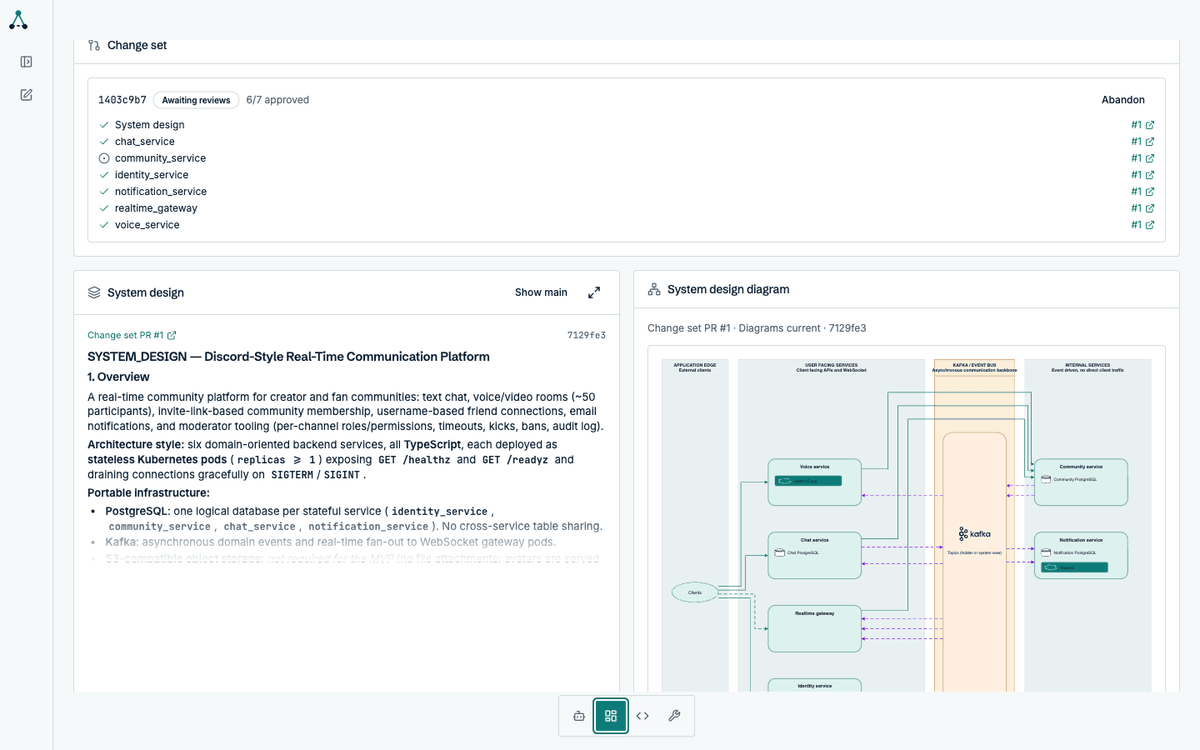
| Awaiting reviews | Every pull request exists; some are not approved |
| Ready to merge | Every pull request is approved |
| Merging | The merge is in progress |
| Merged | Every pull request landed |
| Needs action | Something requires you: a conflict, a failed run, a permission problem |
| Abandoned | You discarded the change set |
Approving
Section titled “Approving”Approval happens in GitHub, on each pull request. The in-app Code tab shows the same diffs so you can review without switching context, but the approval itself is a GitHub action.
Merging
Section titled “Merging”Once every pull request is approved, the change set becomes Ready to merge. Merging is automatic: a background process picks up ready change sets every 15 minutes and merges them as one group.
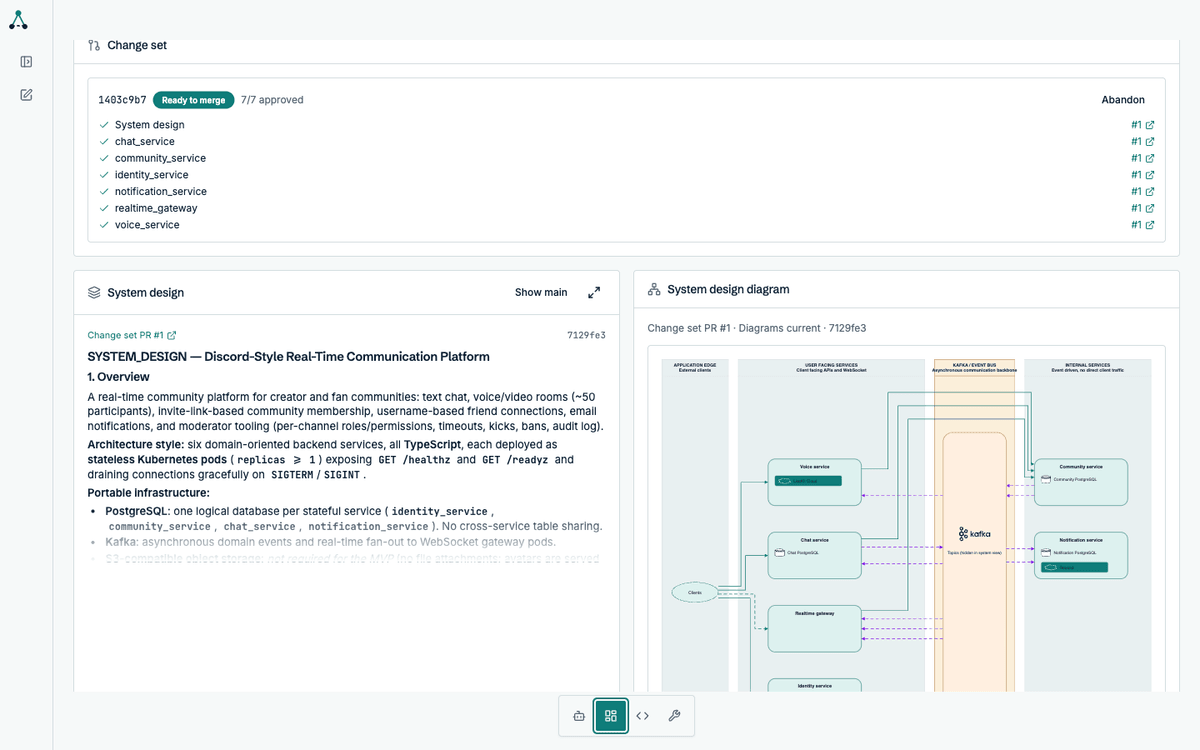
You do not need to merge each pull request by hand. Letting Delta coordinate the merge is what keeps the group atomic.
When a merge cannot proceed
Section titled “When a merge cannot proceed”A change set moves to Needs action when something blocks it:
- A pull request has a merge conflict
- A run failed and needs a retry
- The GitHub App lacks a required permission
The status reason names the specific problem. Resolve it and the change set returns to the normal flow.
Abandoning
Section titled “Abandoning”Abandoning closes every open pull request in the change set and archives the session. It is not reversible, and branches are kept for manual recovery.
Abandon requires typing the change-set ID by hand. That is deliberate: it is the one destructive action in the product.